
Fiftify is built for a floor, not a single desk. Invite the people who pick, pack, and buy, and give each of them exactly the access they need.
Who is already there
Section titled “Who is already there”Open Settings → Users & Roles. On a new account there is one user — you, marked Owner and You.
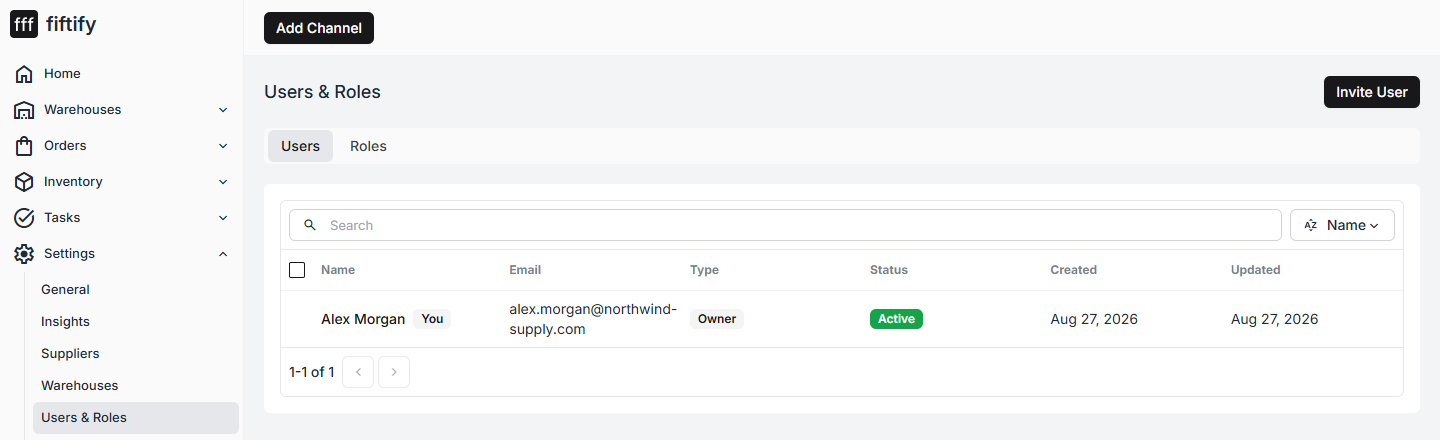
The owner is the account that created the company. It is the only role that covers billing and company ownership, and it cannot be handed to an invited user from this screen.
Send an invitation
Section titled “Send an invitation”Select Invite User and fill in the form.
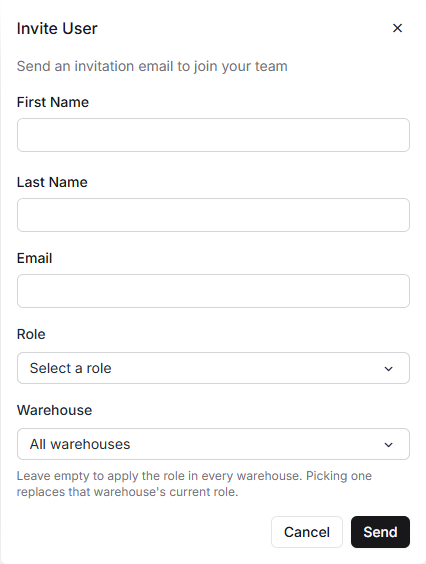
- First name, Last name, Email — where the invitation goes
- Role — what they will be able to do
- Warehouse — leave it on All warehouses to apply the role everywhere, or pick one to limit the person to that site
Select Send. Fiftify emails an invitation link; the person sets their own password and lands in your company.
The built-in roles
Section titled “The built-in roles”The Roles tab lists every role, with a description and the number of sections it unlocks.
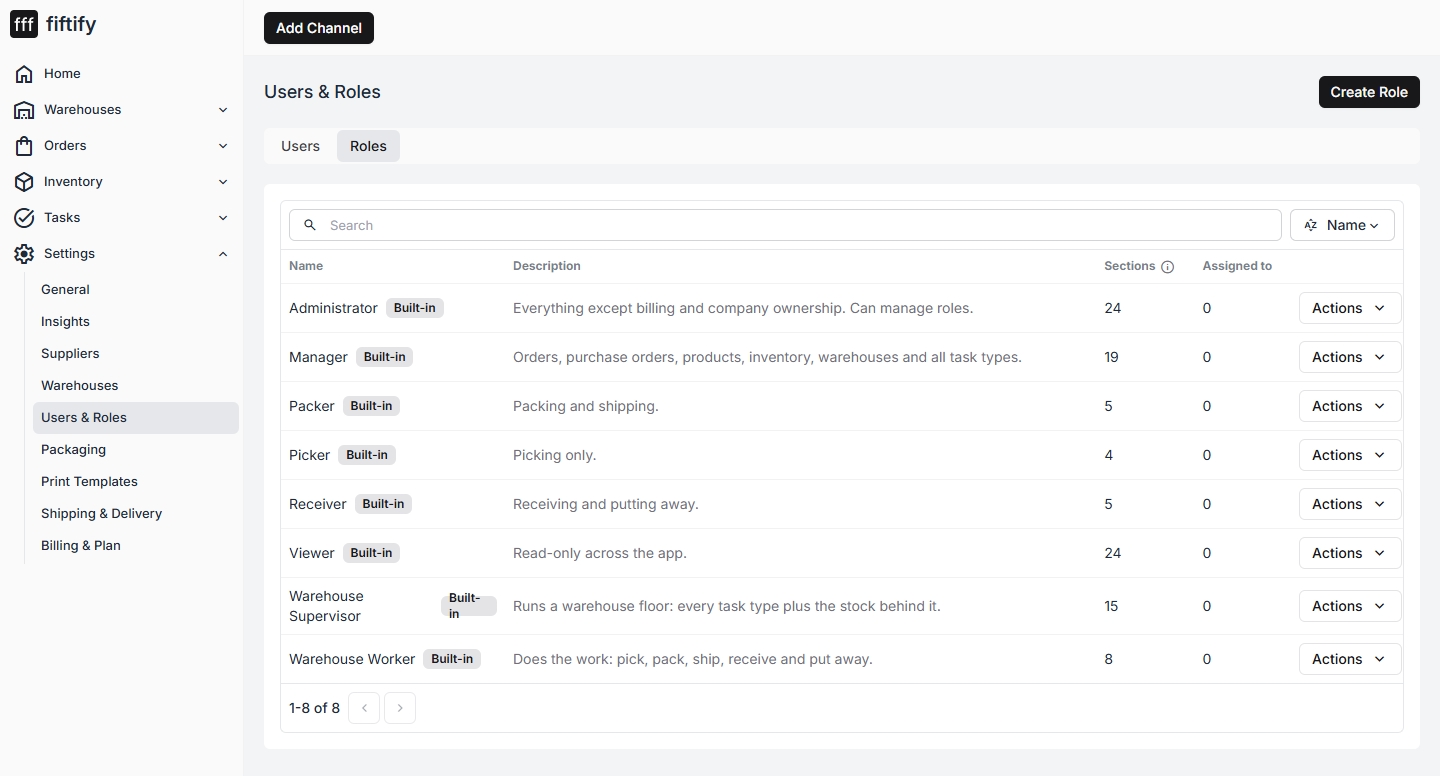
| Role | Scope |
|---|---|
| Administrator | Everything except billing and company ownership. Can manage roles. |
| Manager | Orders, purchase orders, products, inventory, warehouses and all task types. |
| Packer | Packing and shipping. |
| Picker | Picking only. |
| Receiver | Receiving and putting away. |
| Viewer | Read-only across the app. |
| Warehouse Supervisor | Runs a warehouse floor: every task type plus the stock behind it. |
| Warehouse Worker | Does the work: pick, pack, ship, receive and put away. |
Built-in roles cannot be deleted, but you can add your own with Create Role if none of them fits how your team is split.
Choosing the right role
Section titled “Choosing the right role”Start narrow. A picker who only sees Pick tasks has a simpler app and less room for a costly mistake; you can widen access in a moment if it turns out to be too tight.
If a teammate reports a missing menu item, that is usually the role doing its job rather than a bug — check what their role grants before looking further.
For the permission matrix behind each role, how to build one of your own, and how a role can apply in one warehouse rather than all of them, see roles and permissions and users and invitations.