
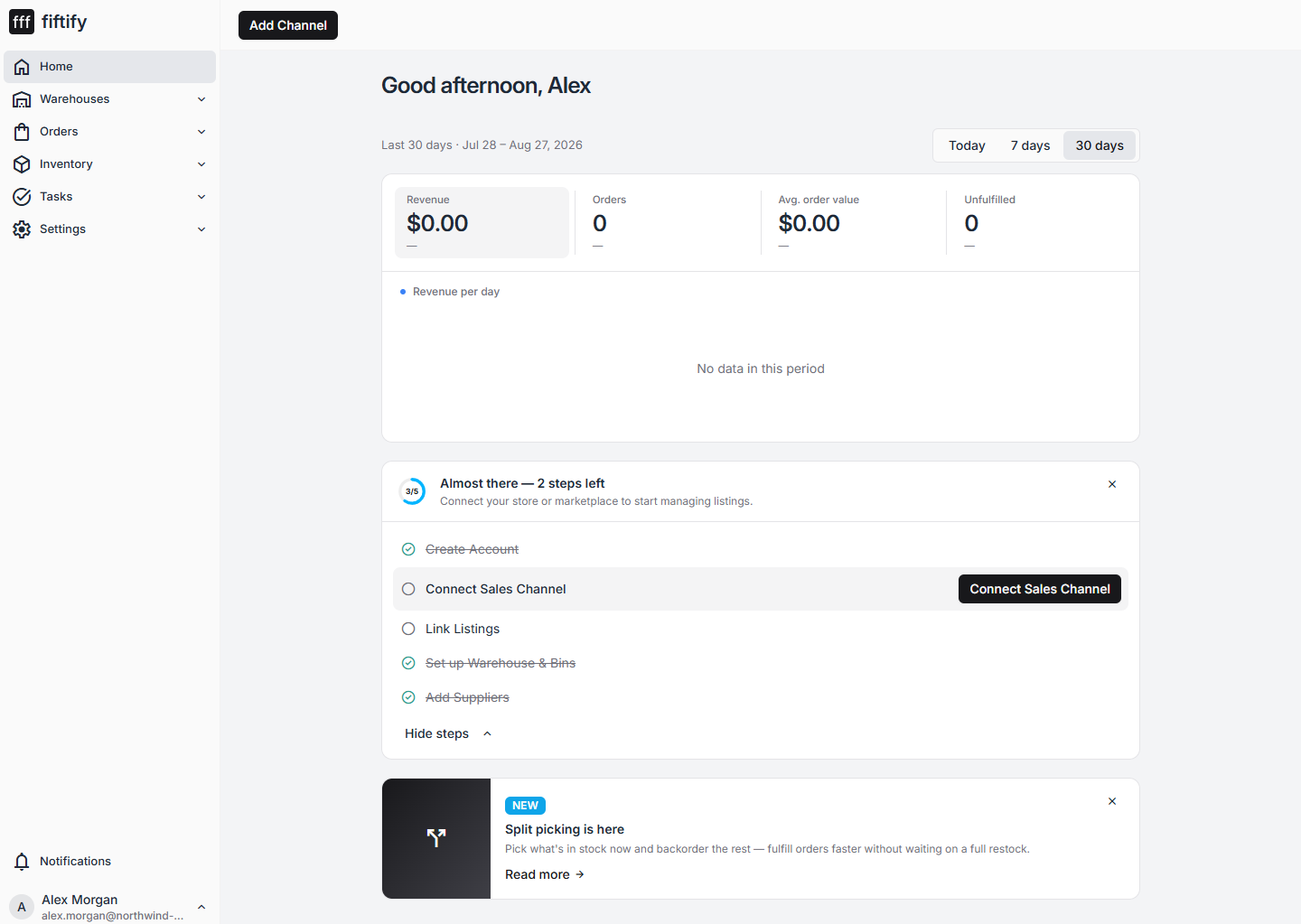
Your Home page carries a Quick Start Guide card: a progress ring and five steps that take a new account from empty to working.
The five steps
Section titled “The five steps”| # | Step | Counts as done when |
|---|---|---|
| 1 | Create Account | Always — it is done the moment you sign in |
| 2 | Connect Sales Channel | At least one channel is connected |
| 3 | Link Listings | At least one listing is linked to a product |
| 4 | Set up Warehouse & Bins | You have at least one warehouse |
| 5 | Add Suppliers | You have at least one supplier |
Why it starts at 3 of 5
Section titled “Why it starts at 3 of 5”Steps 4 and 5 are already crossed out on a brand-new account, because signing up creates a Default Warehouse and a Default Supplier for you. The checklist is counting records, and those records exist.
They are still generic defaults. Before you rely on them, open each one and make it match reality — see set up your warehouse and add suppliers.
Working through the card
Section titled “Working through the card”The button on the right of the card always points at your next unfinished step, so you can work top to bottom without hunting through the menu. Select Hide steps to collapse the list down to the progress ring, or the × in the corner to dismiss the card entirely.
The ring shows how many steps are complete — 3/5 on a fresh account — and the text above the list counts what is left.
Next: find your way around.