
Details is what a product is. The other four tabs are what it is doing.
Inventory
Section titled “Inventory”Per-channel quantities, one row per channel selling this product.
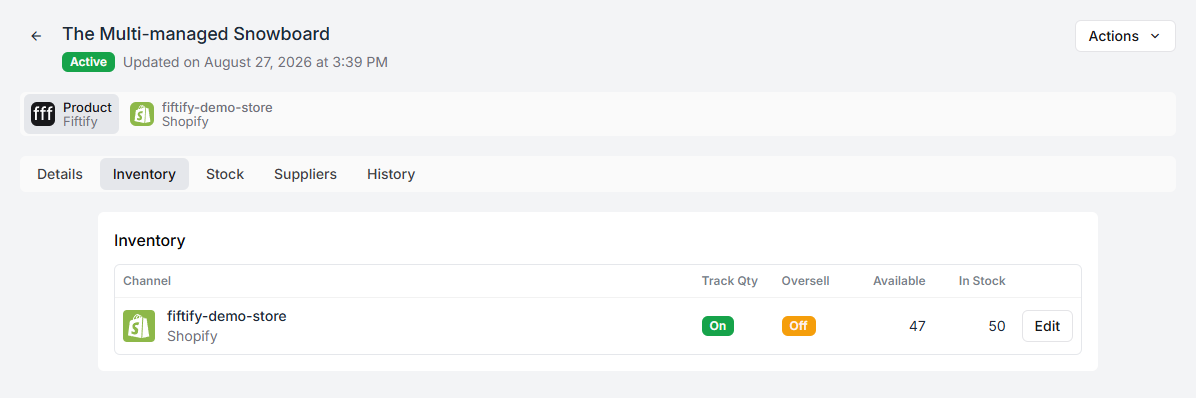
| Column | What it is |
|---|---|
| Channel | The storefront |
| Track Qty | Whether the channel counts stock for this product |
| Oversell | Whether the channel may sell past zero |
| Available | What the channel can sell right now |
| In Stock | What Fiftify holds |
Available and In Stock differ by whatever is committed to orders already placed. A gap between them is normal during a busy day and suspicious when the warehouse is idle.
Track Qty off means the channel does not count this product at all — a made-to-order item, a service, something you never run out of. It is also why such products do not appear in low-stock counts: there is no quantity to be low on.
Oversell on lets a channel keep selling at zero. That is a commercial decision with a warehouse consequence: the orders arrive, and someone has to tell the customer when. See inventory overview.
Where the units physically are.
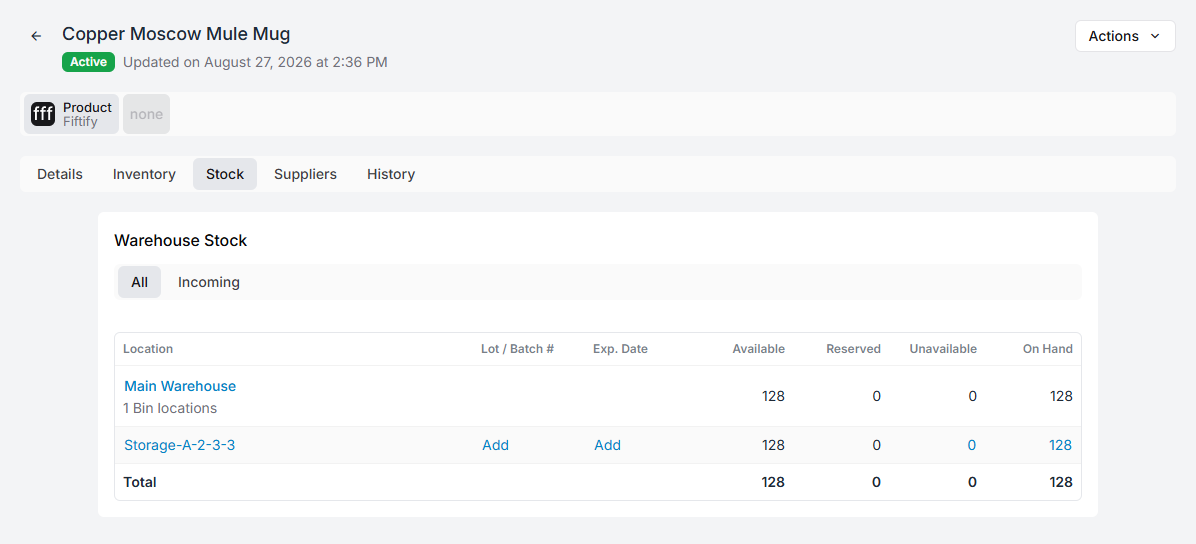
Rows group by warehouse and expand to the individual bins, each with:
Lot / Batch #, Exp. Date, Available, Reserved, Unavailable, and On Hand.
The Incoming tab beside All shows what is on its way in from purchase orders — expected, not countable.
Two things are worth knowing about this tab:
Allocation needed is stock in the warehouse that is not in any bin. It exists, it is counted, and nobody can be told where to find it. Assign it a bin. Removing a bin from a product sends its quantities back here rather than deleting them, which is the safe behaviour and also the reason the pile grows if nobody is watching.
Manage Bins is where a product’s bins are added and removed for a warehouse.
For what bins are and how they are named, see bins and bin codes and stock by bin.
Suppliers
Section titled “Suppliers”Who you buy this product from.
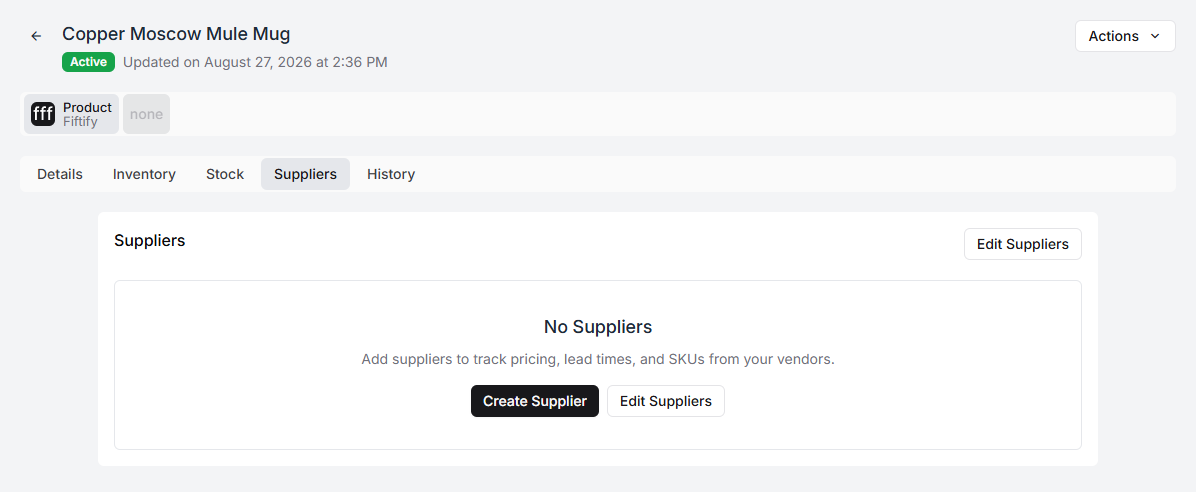
Each row carries that supplier’s own SKU, lead time, price, tax, and MOQ for this product — their terms, not your catalogue’s.
One supplier is primary, and that is the one that matters: its lead time is what reorder timing is calculated from. Set as Primary moves it. See suppliers.
Edit Suppliers toggles suppliers on and off for the product. Switching one off removes that supplier’s data from this product, so it is a deletion rather than a hide.
These rows also fill themselves in: marking a purchase order as ordered records the supplier against every product on it, with the SKU and price from that order.
History
Section titled “History”Everything that has changed on this product, newest first, with who did it.
This is the tab to open when a number is wrong and the argument about why has started. It answers “when did the price change” and “who moved that stock” without anyone having to remember.
Actions
Section titled “Actions”The Actions menu at the top holds the whole-product operations — archiving and deleting among them. Archive retires a product you no longer sell while leaving its history intact; delete removes it, and cannot be undone.