
Bins and bin codes
Published
A bin is the smallest place stock can sit — one position on one shelf. Pickers walk to bins; counts happen in bins.
The bin list
Section titled “The bin list”Warehouses → Layout & Bins → Bins.
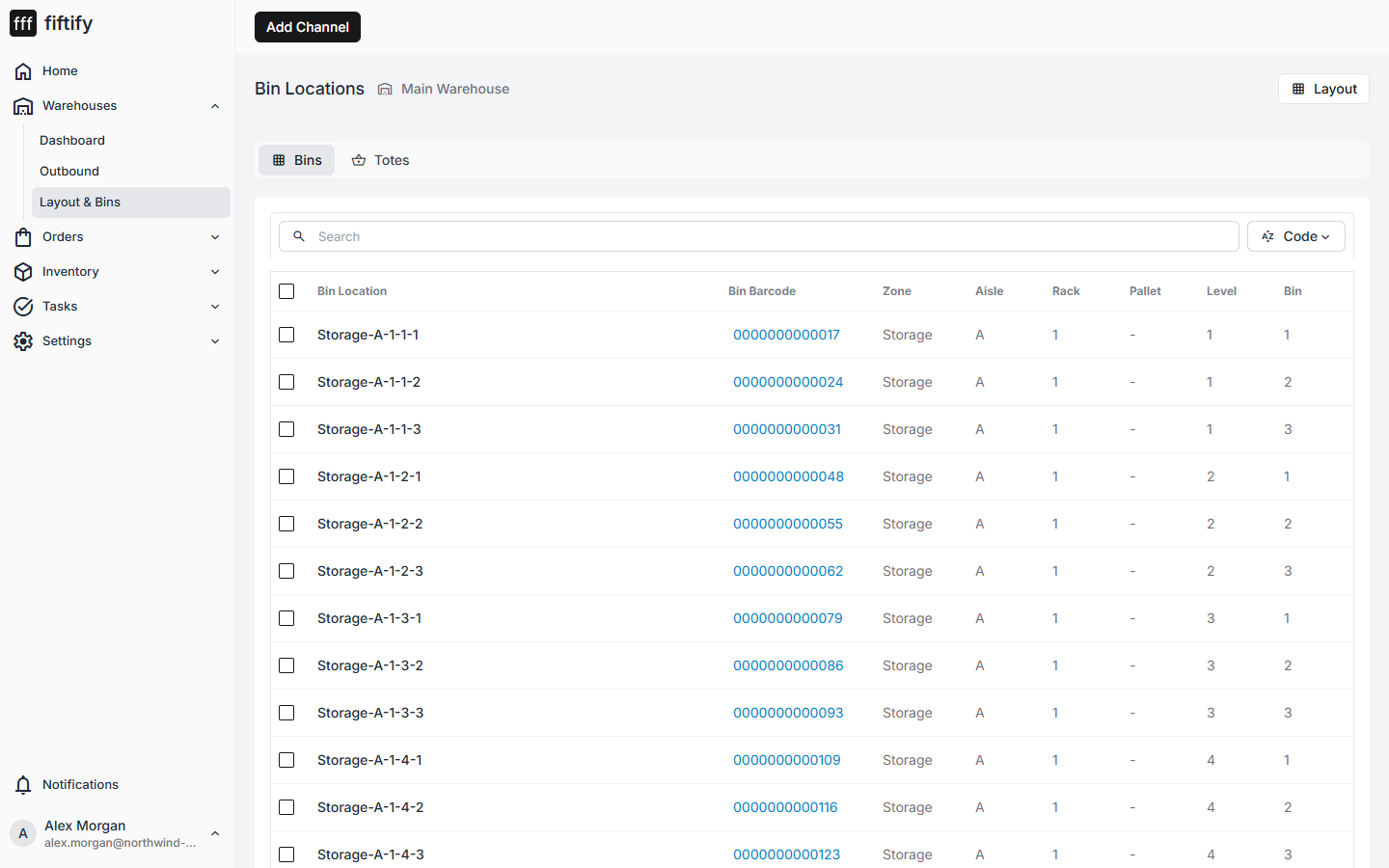
| Column | Meaning |
|---|---|
| Bin Location | The bin code |
| Bin Barcode | The scannable barcode for that bin |
| Zone / Aisle / Rack / Pallet / Level / Bin | The code broken into its parts |
How a code is built
Section titled “How a code is built”Codes are generated from the layout, not typed:
Storage - A - 1 - 3 - 1 zone aisle rack level positionSo Storage-A-1-3-1 is: Storage zone, aisle A, first rack, third level up, first
position along. A picker who knows the scheme can find the bin without a map — which is
the whole point of the naming being mechanical rather than free-text.
Every bin also carries a barcode, so scanning replaces reading on the floor.
Where bins show up
Section titled “Where bins show up”- Pick tasks name the bin for every line, with its zone and aisle spelled out.
- Stock lists what each bin holds.
- Scanning during picking and packing matches against the bin barcode.
Bins with no layout
Section titled “Bins with no layout”A bin can survive its layout — if a zone or a row is removed, the bins it generated may be left behind. Fiftify flags those as not in layout rather than deleting them, because stock might still be sitting there. Move the stock, then clean the bins up.
Printing labels
Section titled “Printing labels”Bin labels come from Settings → Print Templates, which is also where the format is configured. Print them once the layout is settled — bin codes change if you rename the zone or aisle they hang off.
Before printing a whole warehouse, set the print head resolution for that building and run a test print — the wrong resolution produces barcodes that will not scan. See print templates and labels and warehouse settings.