
Stock by bin
Published
Where Inventory answers how many do we have, Stock answers where is it.
Open Inventory → Stock.
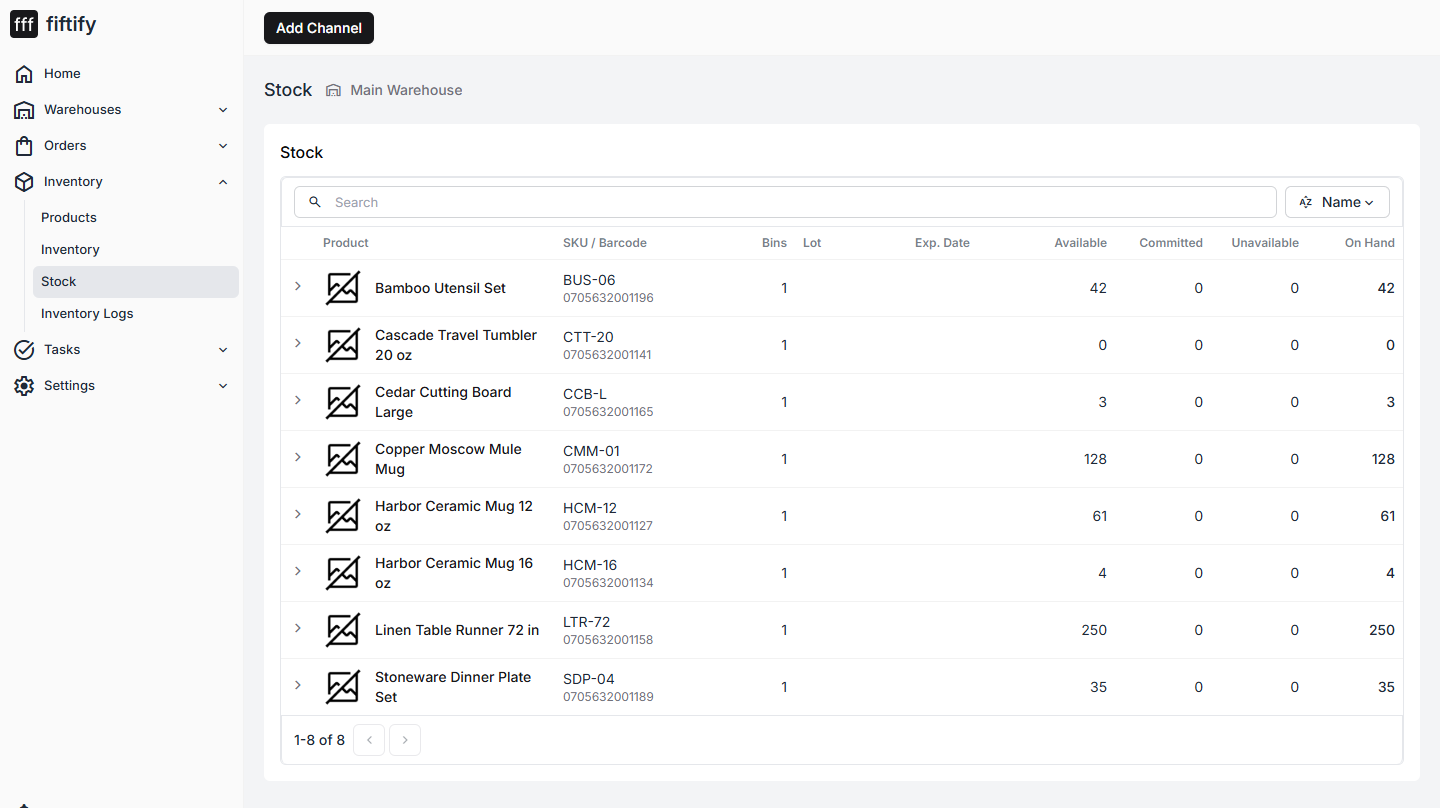
| Column | Meaning |
|---|---|
| Product | The item |
| SKU / Barcode | Its identifiers |
| Bins | How many distinct bins hold it |
| Lot | Lot or batch number, when tracked |
| Exp. Date | Expiry, when tracked |
| Available / Committed / Unavailable / On Hand | The same four quantities, per bin |
Expanding a row opens the individual bins, so a product spread across three shelves shows all three with their own counts.
One product, several bins
Section titled “One product, several bins”Splitting a product across bins is normal — a pallet in bulk storage and a handful in a pick face, or two lots of the same item received weeks apart. Fiftify keeps them as separate rows because the picker needs to walk to a specific bin, not to an average.
Picking draws from the bin the task names.
Lots and expiry
Section titled “Lots and expiry”Where lots are tracked, each lot is its own stock row with its own expiry. This matters for anything perishable or regulated: two identical SKUs may not be interchangeable if their expiry dates differ.
Inventory Logs
Section titled “Inventory Logs”Inventory → Inventory Logs is the audit trail: every movement, with what changed, when, and who did it. Picks, adjustments, and receipts all land here.
It is the place to answer “this number is wrong — when did it go wrong?”. The log is append-only, so nothing you see there was edited after the fact. See inventory logs for the filters and how to read a discrepancy backwards.
How stock gets in
Section titled “How stock gets in”Stock arrives from operations, not by typing a number into a field:
- Receiving incoming goods against a purchase order
- Put-away moving received goods into their bins
- Transfers arriving from another warehouse
- Adjustments and approved cycle counts, with a reason attached
That is why a brand-new warehouse shows zero everywhere even though the products exist — the catalog is set up, but nothing has been received into it yet.
Stock also moves between bins without any of it arriving or leaving: put-away after a receipt, and replenishment topping a pick face up from bulk.