
A supplier is somebody you buy stock from. Fiftify needs them for two things: purchase orders have to be addressed to someone, and reorder timing depends on how long that someone takes to deliver.
Settings → Suppliers holds them.
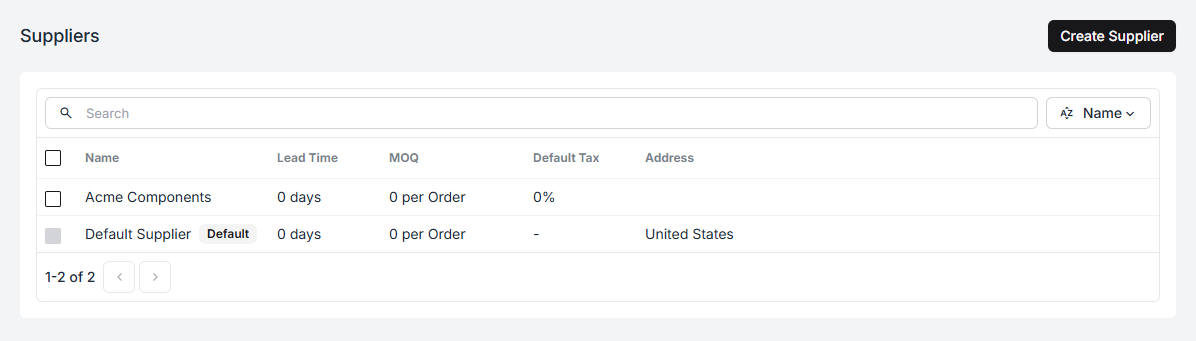
Every company starts with a Default Supplier so that a purchase order can be raised before the paperwork of a real vendor relationship exists. Replace it with real suppliers when you have them.
What a supplier record holds
Section titled “What a supplier record holds”| Field | What it is for |
|---|---|
| Name | What you call them |
| Address | Where the goods come from; prints on purchase orders |
| Lead Time | Days from order to delivery |
| Minimum Order Quantity (MOQ) | The smallest order they accept, per SKU |
| Default Tax | The tax rate applied to their purchase orders |
Lead time is the one that does work
Section titled “Lead time is the one that does work”Everything else on the record is reference. Lead time is used: it is how Fiftify knows that a product with eleven days of stock left is fine from a three-day supplier and already late from a twenty-day one.
Where a product’s primary supplier has a lead time, that number is used for it. Everything else falls back to the company default under Settings → Insights.
Enter the time you actually observe, door to door, including the days their office takes to acknowledge an order. Their quoted lead time is a marketing number; yours is the one that predicts anything.
MOQ and default tax
Section titled “MOQ and default tax”MOQ is a fact about the vendor, recorded so nobody has to remember it while building an order. It is per SKU: an MOQ of 50 means fifty of each line, not fifty across the order.
Default tax pre-fills the tax rate on purchase orders raised for this supplier, which is the difference between a purchase order total you can compare against an invoice and one you cannot.
Attaching a supplier to a product
Section titled “Attaching a supplier to a product”A product’s Suppliers tab lists who supplies it, and each link can carry that supplier’s own SKU for the product, their price, their tax, and their lead time.
Two things make this worth filling in:
- Their SKU is not yours. Recording theirs means a purchase order goes out in the language of their order desk, and nobody has to translate it by hand.
- The primary supplier drives reorder timing. One supplier per product is marked primary, and that is the lead time Fiftify plans with.
The links also build themselves. Mark a purchase order as ordered and Fiftify records the supplier against every product on it, along with the SKU, price, tax, and lead time from that order — so the second order to a vendor is easier than the first, and the tenth is nearly automatic.
Removing a supplier
Section titled “Removing a supplier”Actions → Delete on the supplier’s page, and it cannot be undone. Purchase orders already raised keep their record of who they went to; deleting a supplier does not rewrite history.