
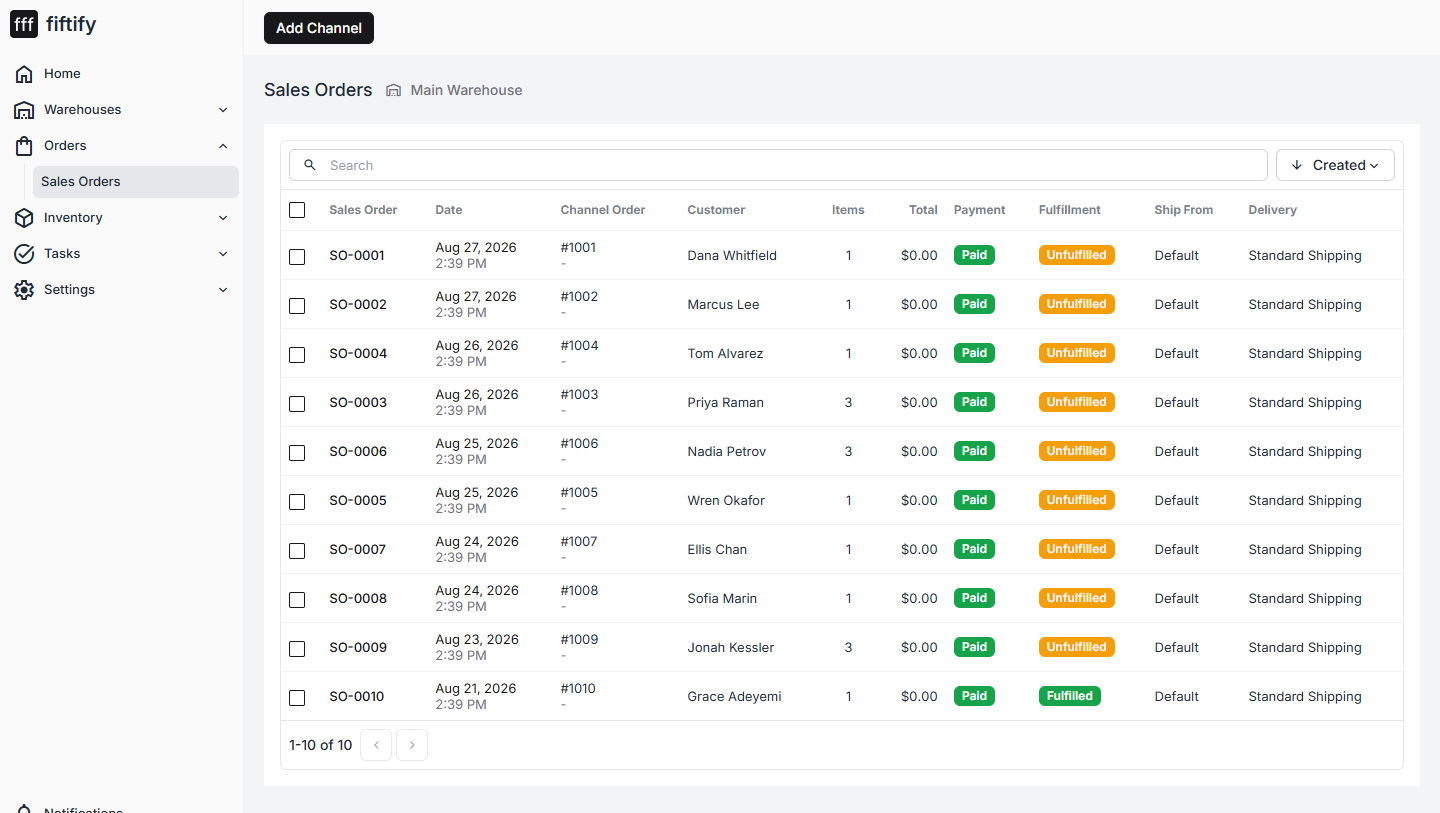
Orders → Sales Orders is every order that reached your warehouse.
Where orders come from
Section titled “Where orders come from”Orders are imported from your sales channels — Fiftify has no “create order” button, by design. If the list is empty, either no channel is connected yet (see connect a sales channel) or nothing has sold since it was.
Each order keeps two identities: your internal SO number (SO-0001), which
Fiftify assigns, and the channel’s own order number (#1001), which is what the buyer
sees.
The columns
Section titled “The columns”| Column | What it tells you |
|---|---|
| Order | The Fiftify sales-order number |
| Created | When the order was placed on the channel |
| External | The channel’s order number |
| Customer | Who bought it |
| Items | How many units are on the order |
| Total | Order value |
| Payment | Paid, pending, refunded |
| Fulfillment | Unfulfilled, partially fulfilled, fulfilled |
Orders are scoped to a warehouse
Section titled “Orders are scoped to a warehouse”The list shows the orders for the warehouse selected in the header — not everything in the company. An order becomes visible in a warehouse because its items are assigned to a location mapped to that warehouse.
That is the usual explanation for “the order exists but I cannot see it”: it belongs to another warehouse, or the location it arrived on is not mapped to any warehouse yet. See set up your warehouse for mapping.
Finding an order
Section titled “Finding an order”Search matches the order number, the channel number, and the customer. The sort control next to it switches between newest, oldest, and the other fields.
Select any row to open the order.