
Opening an order shows one page with three tabs: Details, Tasks, and History.
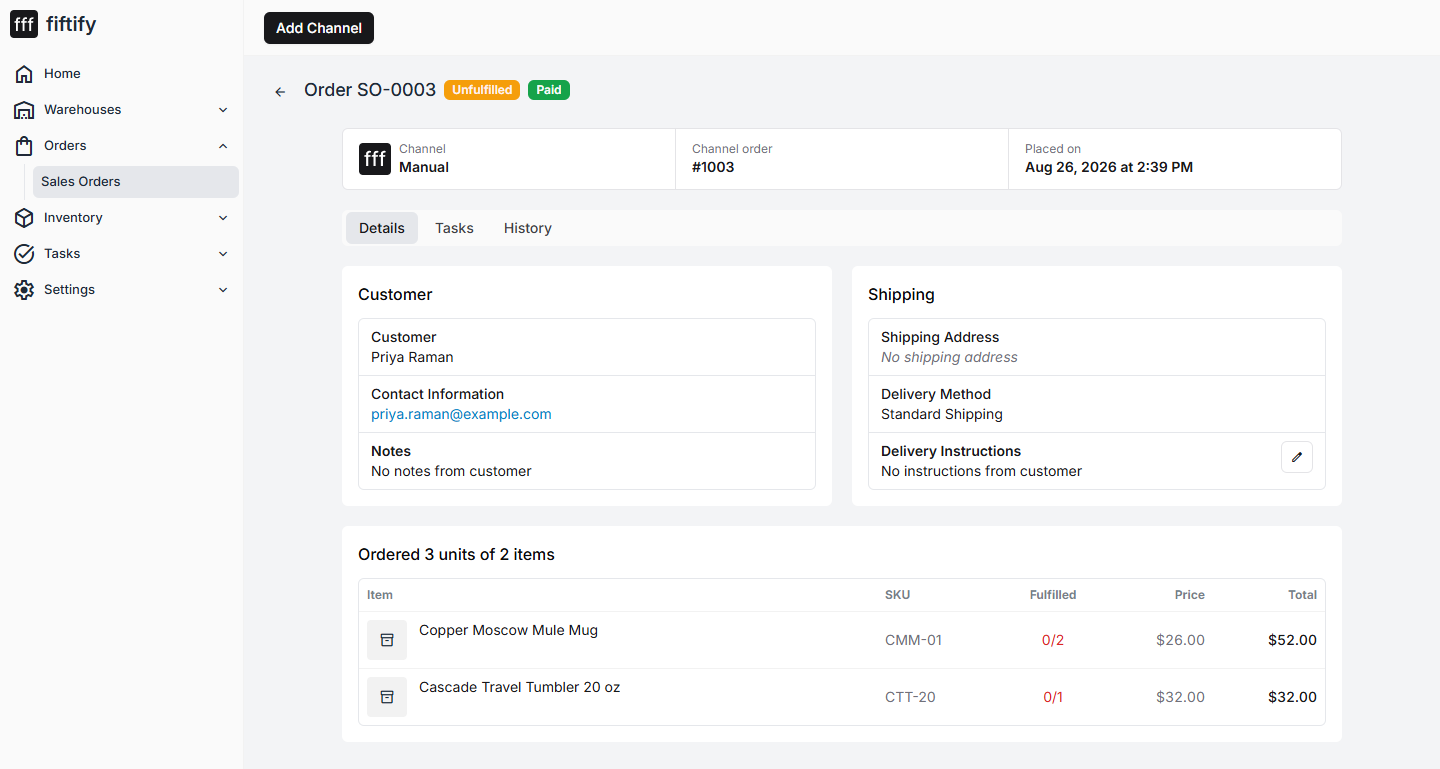
Details
Section titled “Details”Customer — name and contact. This is the channel’s data; Fiftify does not invent it.
Notes — anything the buyer left with the order, plus your own notes via Edit Notes. Worth using for the things that would otherwise live on a sticky note: a delivery quirk, a promise made in support.
Shipping — the shipping address, the delivery method the buyer chose, and any delivery instructions they left.
Items — the ordered lines with SKU, quantity, and price.
The Tasks tab is the fulfillment side of the same order: which pick, pack, and ship tasks exist, what state they are in, and who has them. This is the fastest way to answer “where is this order right now” without hunting through three queues.
History
Section titled “History”An append-only record of what happened to this order — imports, status changes, fulfillment events. When an order looks wrong, History usually says when it went wrong.
What you can and cannot change
Section titled “What you can and cannot change”Fiftify is not the system of record for the sale. The customer, the items, and the price come from the channel and stay as they are. What Fiftify owns is the fulfillment: how the order is picked, packed, and shipped, and the notes your team adds along the way.