
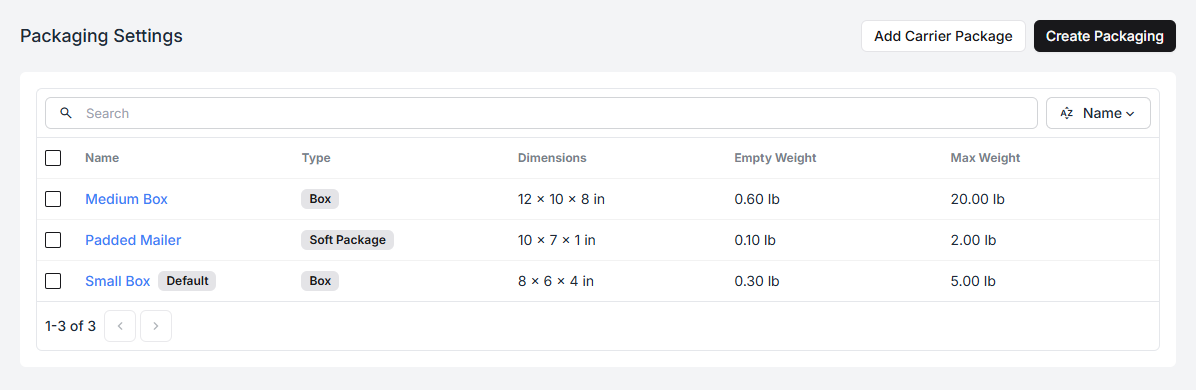
A package type is one of the boxes, envelopes, or mailers you keep on the packing bench. Describe them once, and packing becomes picking from a short list instead of typing dimensions on every order.
Settings → Packaging holds them.
Creating one
Section titled “Creating one”Select Create Packaging.
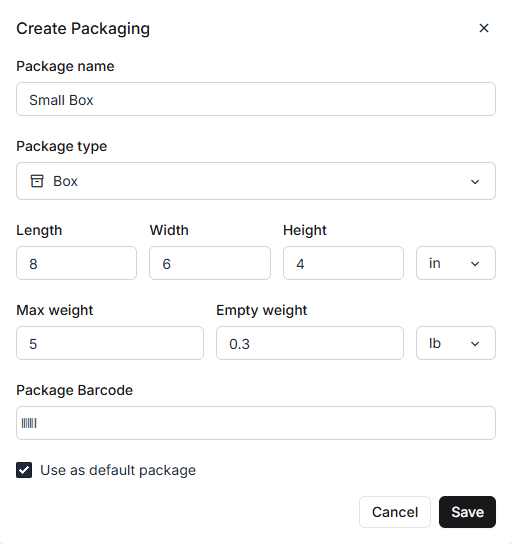
| Field | What it is for |
|---|---|
| Package name | What packers will see. Use the name they already say out loud. |
| Package type | Box, Envelope, or Soft package |
| Length / Width / Height | Outside dimensions, in inches or centimetres |
| Max weight | The most this package should hold |
| Empty weight | What the packaging itself weighs |
| Package barcode | Optional — lets a packer scan the box instead of choosing it |
| Use as default package | Pre-selected on the pack screen |
Pick the unit once, at the right of the dimension and weight rows; the whole package is measured in it.
Why empty weight matters
Section titled “Why empty weight matters”Fiftify works out a shipment’s weight as the contents plus the packaging. Leave empty weight at zero and every parcel is under-declared by the weight of the box — a few hundred grams that the carrier will notice and bill you for.
Weigh one empty box on the packing scale and enter that. It is a two-minute job that stops a recurring surcharge.
Why max weight matters
Section titled “Why max weight matters”Max weight is the sanity limit for the package, not a hard stop on the contents. It is what tells you a set of dinner plates does not belong in the padded mailer.
Default package
Section titled “Default package”One package type can be marked Default. It is the one pre-selected when a packer starts building a parcel, so it should be whatever you ship most of — for most catalogues that is the smallest box, not the biggest.
Carrier packages
Section titled “Carrier packages”Add Carrier Package brings in the pre-defined packaging a carrier publishes — their own flat-rate boxes and envelopes, at the exact dimensions they rate. Use these when you ship in the carrier’s own supplies; use your own package types when you ship in boxes you bought.
Turning them on per warehouse
Section titled “Turning them on per warehouse”Creating a package type makes it available; it does not put it on every bench. Each warehouse chooses which packages it actually stocks, under Settings → Warehouses → (warehouse) → Packaging.
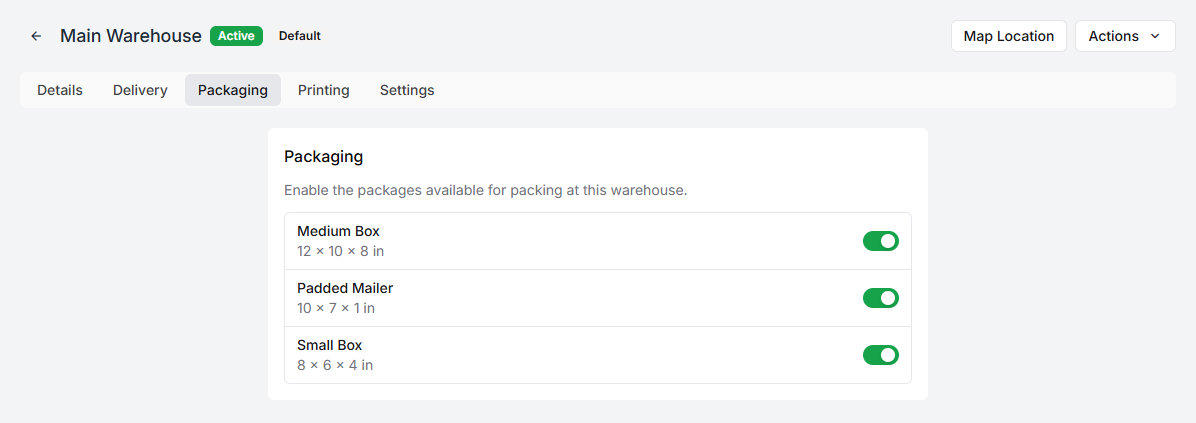
A warehouse that has never seen a padded mailer should not offer one to its packers. See warehouse settings for the rest of the per-warehouse tabs.
Where they show up
Section titled “Where they show up”On the pack screen. A packer builds a parcel by choosing a package and dropping items into it — the package’s empty weight and dimensions come along automatically, which is what a carrier needs to rate the shipment. See packing an order.