
Carriers and delivery methods
Published
An order leaves your building in one of three ways: a carrier collects it, you drive it over, or the customer walks in. Settings → Shipping & Delivery is where you tell Fiftify which of those you actually do.
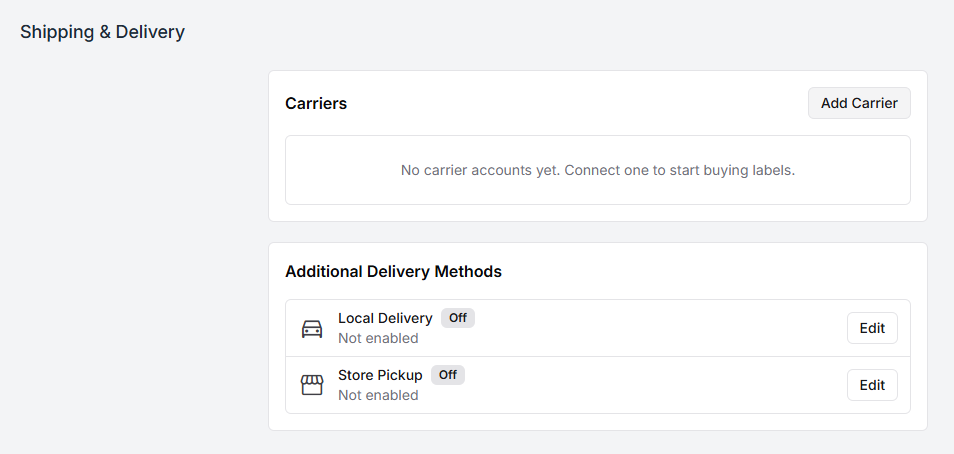
Carriers
Section titled “Carriers”Until a carrier account is connected, Fiftify says so plainly:
No carrier accounts yet. Connect one to start buying labels.
Without one, packing still works — you just cannot buy a label from inside Fiftify, and the packer has to bring one in from elsewhere.
Select Add Carrier.
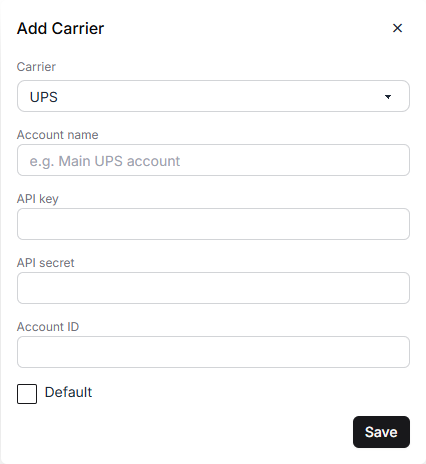
| Field | What it is |
|---|---|
| Carrier | UPS, FedEx, USPS, DHL, ShipEngine, EasyPost, Shippo, or Other |
| Account name | How this account appears in Fiftify. Name it for the account, not the carrier — “UPS — main” beats “UPS” once there are two. |
| API key / API secret / Account ID | The credentials from the carrier or aggregator |
| Default | The account used unless a shipment says otherwise |
The three aggregators in that list — ShipEngine, EasyPost, Shippo — are worth noting. If you already buy postage through one of them, connect the aggregator rather than each carrier separately: one account, and the carriers you have set up there come with it.
Where the credentials come from
Section titled “Where the credentials come from”Every carrier issues API credentials from their own developer or business portal, and the names differ slightly between them. Take the key and secret from there and paste them in. Fiftify stores them for label purchases and nothing else — deleting a carrier account removes the keys and disables label buying with it.
Additional delivery methods
Section titled “Additional delivery methods”Below the carriers sit the two ways of getting an order out that involve no carrier at all:
- Local Delivery — deliver locally without a carrier label.
- Store Pickup — the customer collects the order from the warehouse.
Both start Off, and both are enabled per warehouse rather than company-wide. Select Edit and tick the warehouses that offer it. The panel then counts them — “2 warehouses” instead of “Not enabled”.
That per-warehouse shape is the point: a downtown shop can offer pickup while the fulfilment centre on the edge of town cannot, and Fiftify will not offer a customer something the building cannot do.
The same switches live on each warehouse’s own page, under Delivery:
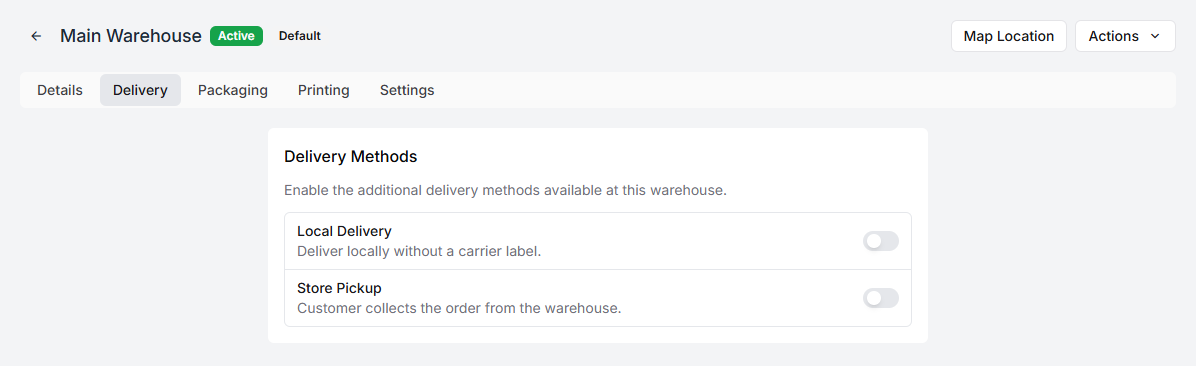
Whichever screen you use, it is the same setting.
What this changes downstream
Section titled “What this changes downstream”At packing, the delivery method decides what the packer is offered:
- Carrier — buy a label, and the order gets tracking.
- Local Delivery — no label to buy; the order gets a delivery slip.
- Store Pickup — no label; the order gets a pickup slip and waits to be collected.
Those slips are print templates, and you can change what they look like — see print templates and labels. For how the packer actually meets them, see packing an order.