
Billing and plans
Published
Settings → Billing & Plan shows the plan you are on and the period you are paying for.
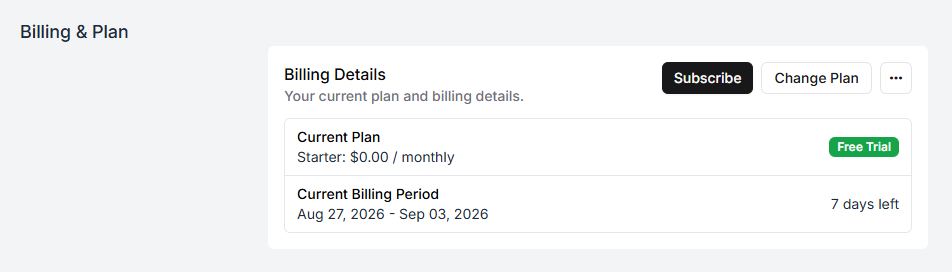
A new company starts on Starter as a free trial, and the panel counts down the days left in the current period.
What the plans differ on
Section titled “What the plans differ on”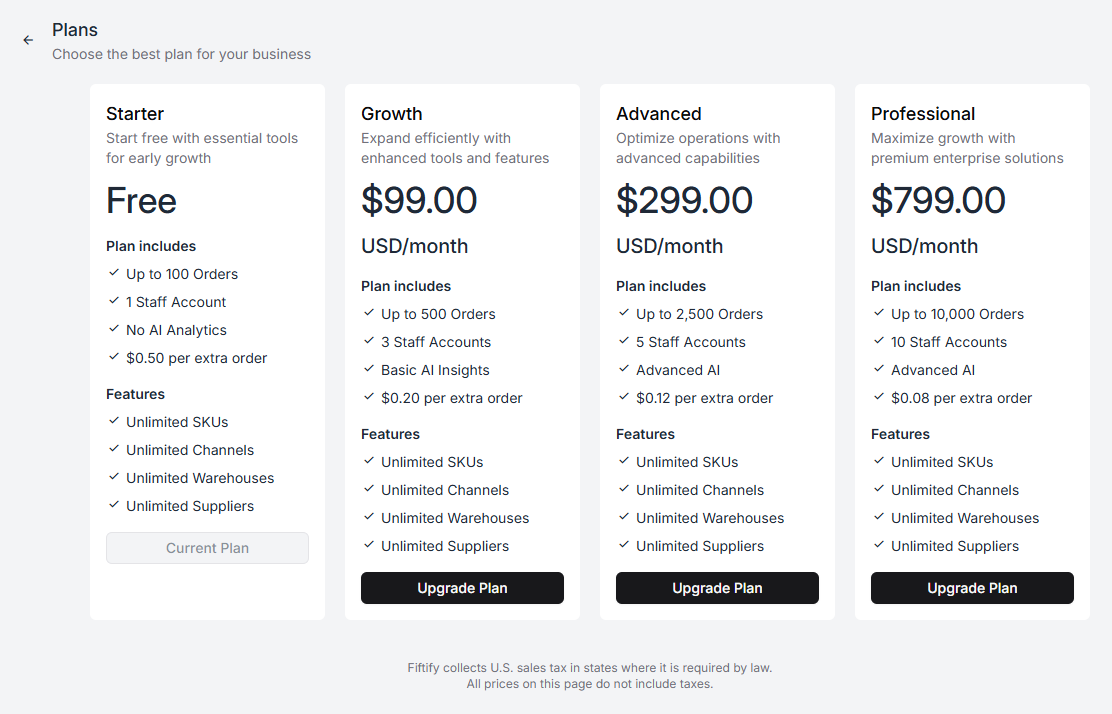
| Starter | Growth | Advanced | Professional | |
|---|---|---|---|---|
| Price | Free | $99/mo | $299/mo | $799/mo |
| Orders included | 100 | 500 | 2,500 | 10,000 |
| Staff accounts | 1 | 3 | 5 | 10 |
| AI insights | — | Basic | Advanced | Advanced |
| Extra order | $0.50 | $0.20 | $0.12 | $0.08 |
Four things are unlimited on every plan, including the free one: SKUs, sales channels, warehouses, and suppliers. You are never charged for cataloguing more products, connecting another storefront, or opening a second building.
What you are charged for is throughput and headcount.
Reading the two limits
Section titled “Reading the two limits”Orders is the allowance for a billing period. Going over it does not stop anything — orders keep arriving and keep being picked — you are billed the per-order rate for the overage. That is why the per-order price falls as the plans rise: the plan is a bulk rate, not a wall.
Staff accounts is the number of people who can hold an account at once. This is the limit that usually decides the plan for a warehouse team, because pickers and packers each need their own login. Two pickers, a packer, and you is four accounts — Advanced, not Growth.
Changing plan
Section titled “Changing plan”Change Plan opens the comparison above; Upgrade Plan on a card moves you to it. Your current plan is marked so you can see where you stand.
Fiftify collects U.S. sales tax in states where it is required by law. All prices on this page do not include taxes.
Who can see this
Section titled “Who can see this”Billing belongs to the company Owner. Even the built-in Administrator role stops short of it — the role’s own description says “everything except billing and company ownership”. If you need someone else to handle invoices, ownership has to move to them; see users and invitations.